Every builder we meet wants one thing: technology that speeds projects up, not down. Yet 36% of contractors say the hardest part of new software is getting crews to use it—an even bigger headache than cybersecurity or budget limits, per the Sage Construction Survey.
That gap between purchase and daily habit is where momentum stalls, spreadsheets multiply, and ROI disappears.
We evaluated eight leading construction project management (PM) tools on a single yardstick: how quickly a typical team reaches full, everyday use. Compare the numbers below, and by the end, you’ll know which platform fits your schedule, project scale, and appetite for change—so your next investment pays off fast.
How we compared the eight platforms
Before we name winners and runners-up, we need to define the playing field.
We dug into vendor manuals, recent release notes, case studies, and hundreds of user reviews on G2, Capterra, and Reddit. That mix exposed both the glossy marketing claims and the blunt job-site reality.
Each platform was scored against one yardstick: time to full adoption. We call that moment the point where about 80 percent of invited users record meaningful activity without hands-on coaching. If a superintendent still hides in spreadsheets, adoption is not full.
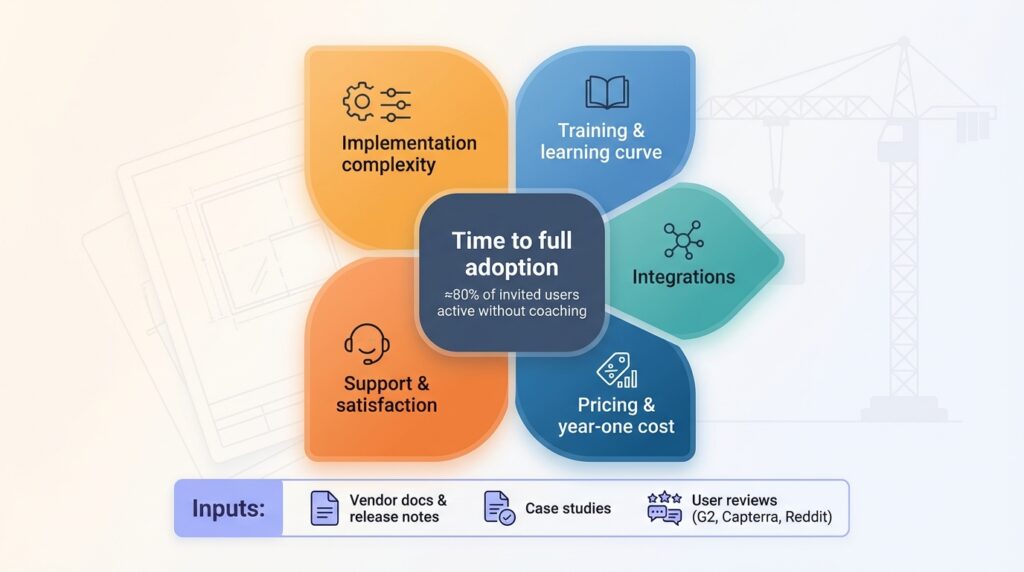
Alongside that primary metric, we tracked five factors:
- Implementation complexity
- Training resources and learning curve
- Integration ecosystem strength
- Pricing transparency and first-year cost
- Overall user satisfaction and vendor support
These five either accelerate or slow adoption. A slick interface counts for little if data must be entered twice. An all-in fee can look low until surprise onboarding charges surface.
We also checked market relevance. Every tool had to ship an active release in 2025 or 2026 and prove usage beyond a handful of pilot projects. That filter left a lineup that stretches from giants like Procore and Primavera to quick-start field apps such as Fieldwire.
With the ground rules locked, let’s see how the numbers shake out.
Adoption snapshot: eight tools side by side
A quick scan often reveals the front-runners. Before we tackle individual reviews, here is the high-level view of how long each platform takes to reach everyday use for a typical project team.
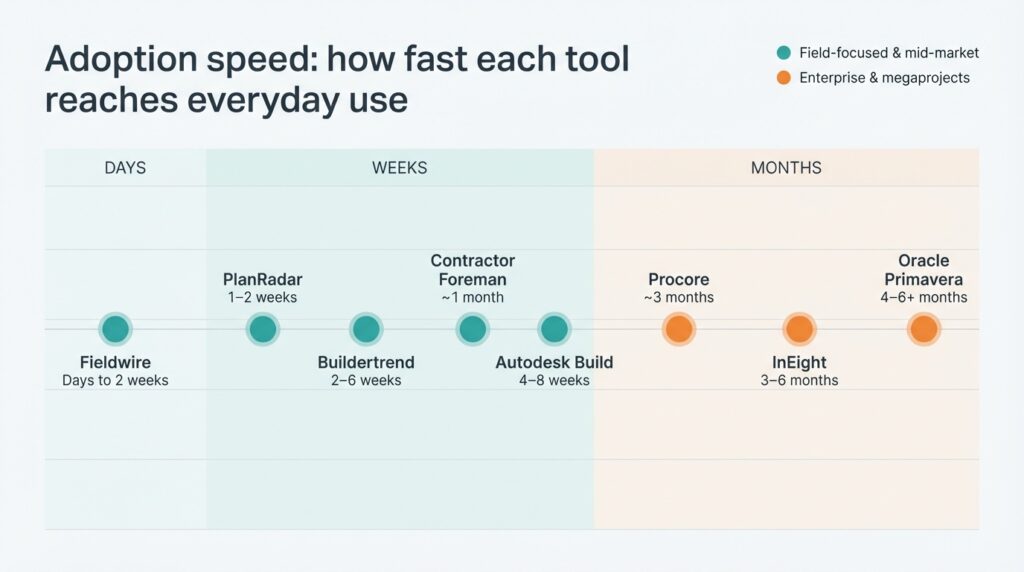
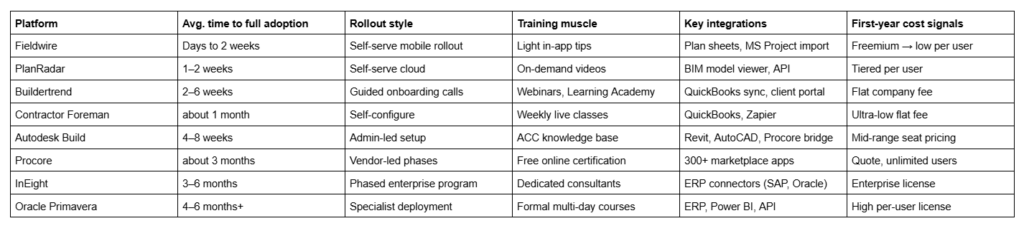
Use this table as your mental scoreboard. The farther down you scroll, the more time and structure you should budget before the software shows its worth.
InEight: enterprise control for megaprojects
InEight speaks the language of billion-dollar programs.
The platform combines cost, schedule, and field execution in one data model, giving owners and EPC teams a live single source of truth across multi-year builds. Depth helps with risk control but means adoption is never a quick flip of a switch.
Most customers roll out the tool in phases. Document control and basic schedules land first, so crews can view drawings and log progress. After confidence builds, cost controls and earned-value dashboards follow. With this path, guided by InEight’s professional-services team, full daily use usually arrives within three to six months.
What slows things down? Choice. Every module can be tuned, and mapping to ERP giants such as SAP or Oracle demands upfront work. Training is mandatory, yet the reward is forecasting accuracy once data flows on its own.
InEight excels when financial exposure is high, compliance is strict, and executives need granular predictability. Smaller contractors may view it as overkill; megaproject teams will consider it the control tower they need, provided they budget time for a careful takeoff.
Procore: all-in-one hub with a three-month learning curve
Procore’s promise is simple: put every document, RFI, budget line, and job-site photo in one cloud workspace.
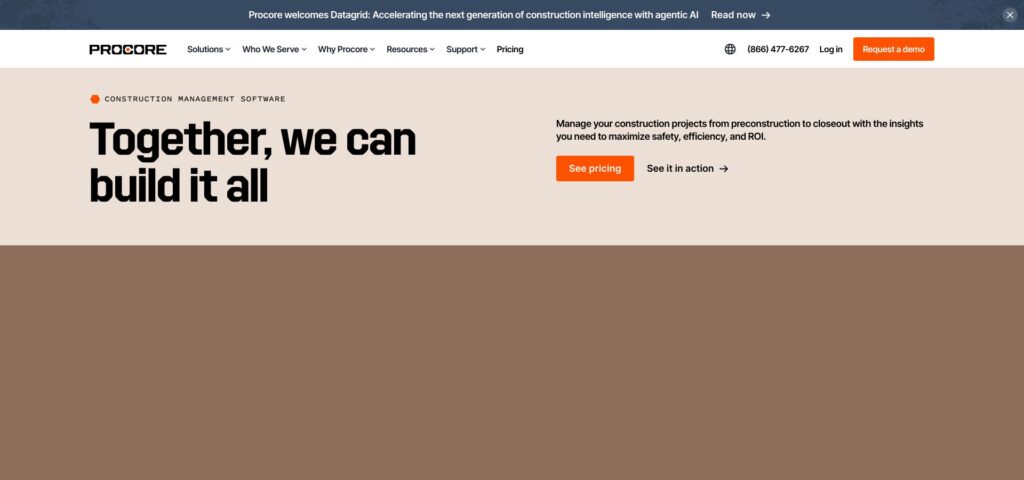
That breadth puts Procore on many “best of” lists, and it is why midsize and large GCs standardize on it. But that same scope shapes the rollout journey.
Teams report about three months between signing a contract and seeing most users comfortable in the system, according to G2’s Procore pricing and review data. The first weeks focus on configuring project templates, permissions, and accounting links. After that, teams tackle the free, role-specific certification videos that guide PMs, supers, and subcontractors through daily tasks.
Field buy-in grows quickly. The mobile app is intuitive, works offline, and lets you invite unlimited collaborators without extra seats. Office adoption takes longer, especially around the financial tools, which mirror ERP rigor.
Budget-wise, Procore sells unlimited user licenses but guards its price list. Expect an enterprise-style quote that rewards volume yet still lands in the premium bracket.
Bottom line: if you want one platform to handle RFIs, drawings, quality, safety, and cost—and you can dedicate a quarter to structured onboarding—Procore offers a scalable, proven backbone. Skip the thorough setup, and you risk paying for modules that gather dust.
Oracle Primavera: the planner’s powerhouse with a steep on-ramp
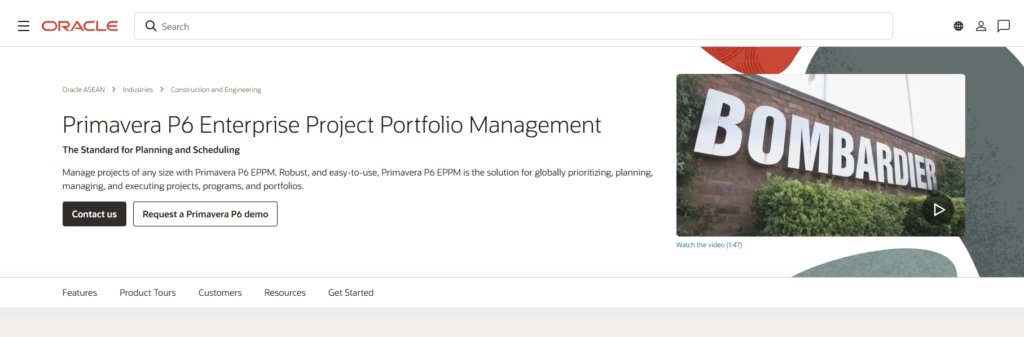
Ask any scheduler on a megaproject where the critical path lives, and you will still hear “Primavera.” The cloud release adds modern dashboards, yet the core remains a dense CPM engine built for portfolios of more than 50,000 activities. That depth gives Primavera authority, but it also slows adoption.
Rolling Primavera out is more about skill than software installs. Planners attend multi-day courses, then spend real project cycles refining baselines and resource curves. One consultant warns that a small setup mistake can leave teams “still struggling six months later.”
Because only a few specialists build schedules, full-team adoption seldom happens. You call it a win when those specialists produce forecasts everyone trusts. If your contracts require P6 files or Monte Carlo risk runs, budget four to six months and invest in formal training. Without that mandate, lighter tools will save time and stress.
Autodesk Build: fast field uptake, extra credit for BIM shops
Autodesk Build grew out of PlanGrid, and the user experience still feels that quick.
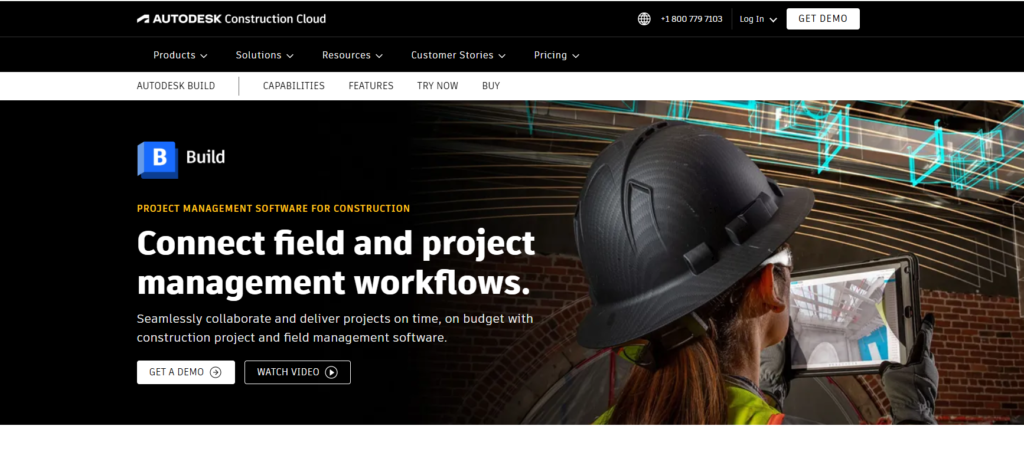
Your crew can download the app, sync drawings, and start pinning issues on sheets the same afternoon. Most teams reach steady daily use in less than two months—often sooner if people have PlanGrid or BIM 360 muscle memory.
Familiarity fuels speed. Many supers already know Autodesk from AutoCAD days, so the jump to a construction app feels natural. Marking up a PDF or adding a punch item works just as you expect, even offline in a basement.
Adoption slows only when you move beyond drawings and RFIs into the newer cost tools. Those features ask admins to map budgets and approval flows, and the interface is still maturing. You can layer that later; early wins come from plan control and field issue tracking.
Licensing runs per seat, not per company, so midsize GCs should budget carefully. Even so, the tight link to Revit models and the wider Autodesk Construction Cloud makes Build a smart pick if BIM collaboration already shapes your workflow.
Bottom line: if you live in DWG and RVT files, Autodesk Build pulls the jobsite into the same ecosystem with little friction. Start with drawings and RFIs, prove value fast, then switch on cost modules once the team is comfortable.
Buildertrend: SMB-friendly and up to speed in weeks
Buildertrend was built for residential builders who wear eight hats before lunch.
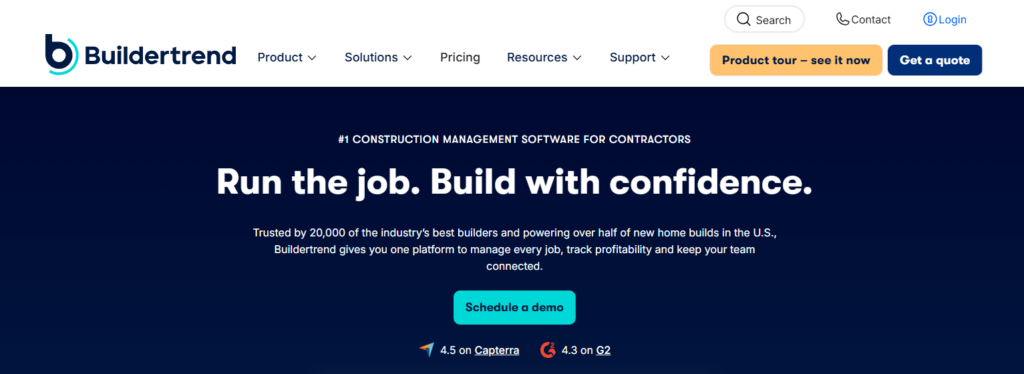
Sign up, book an onboarding call, and you could have your first project schedule live by Friday. Webinars and the Learning Academy guide owners through selections, budgets, and the client portal, while field crews snap photos in the app with no fuss.
Most small teams reach steady daily use within six weeks. A flat monthly fee covers unlimited users, so you can invite every subcontractor and homeowner without a budget debate. Openness speeds adoption because no one is shut out.
The catch is feature overload. Buildertrend packs CRM, estimating, scheduling, and accounting into one dashboard. New users may feel lost until templates and cost codes are tuned. Start with core modules first, then add extras once the crew feels comfortable.
If you are a remodeler or custom-home GC moving on from spreadsheets, Buildertrend turns chaos into order. The learning curve is measured in Wednesdays, not quarters.
Contractor Foreman: budget hero with a one-month ramp
Contractor Foreman markets itself on price, yet the bigger win is inclusivity.
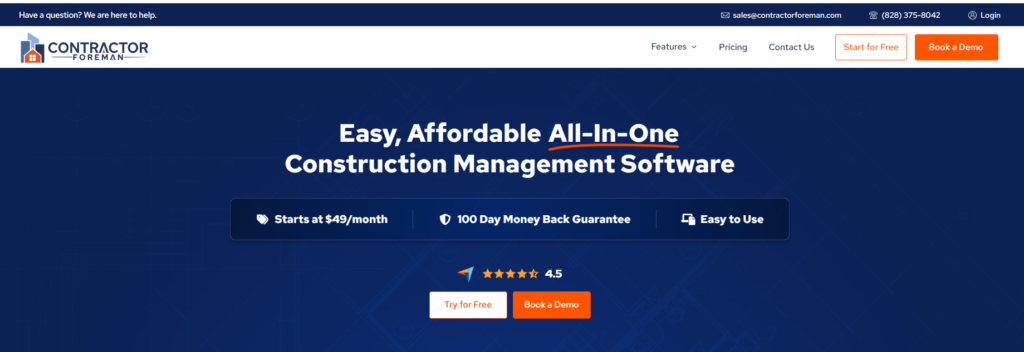
One flat fee opens the door for unlimited users, so field hands, office staff, and even the bookkeeper get their own logins from day one. That “everyone is in” policy sidesteps the common stall when licenses run out, and people fall back on text threads.
Most small contractors move daily logs, timecards, and simple schedules into the system within a month. Weekly live classes and a 100-day money-back guarantee invite your team to explore the tool without fear.
The trade-off is interface sprawl. More than eighty modules greet new users, and the design feels more practical than polished. Hide advanced tabs until the crew masters the basics, or confusion will creep in.
If your company runs on QuickBooks and you want an all-rounder that pays for itself in a few saved labor hours, Contractor Foreman offers a low-risk path to digital order. Plan a short “favorites only” training series to keep first-month focus tight.
Fieldwire: instant gratification on the jobsite
If Procore is a Swiss Army knife, Fieldwire is the trusty utility blade every foreman keeps in a pocket.
Download the app, scan a project QR code, and you can mark up plans before the coffee truck leaves. Most crews reach steady use within a week—sometimes on day one—because the interface mirrors familiar phone gestures such as pinch, tap, and swipe.
Tasks sit as pins on drawings, so no one hunts for context. Offline mode keeps basements and remote wind farms covered. A limited free tier lets subcontractors try the app without approvals, which clears purchasing hurdles and speeds word-of-mouth adoption.
Focus cuts both ways. Fieldwire will not manage contracts, budgets, or RFIs in depth, so you will still rely on other systems upstream. For daily coordination, punch lists, and quick photo documentation, though, speed of adoption beats scope.
Bottom line: zero-to-habit adoption measured in days makes Fieldwire the lowest-friction tool in this lineup.
PlanRadar: global punch lists in under two weeks
PlanRadar matches Fieldwire’s speed while adding a European flair and a BIM twist.
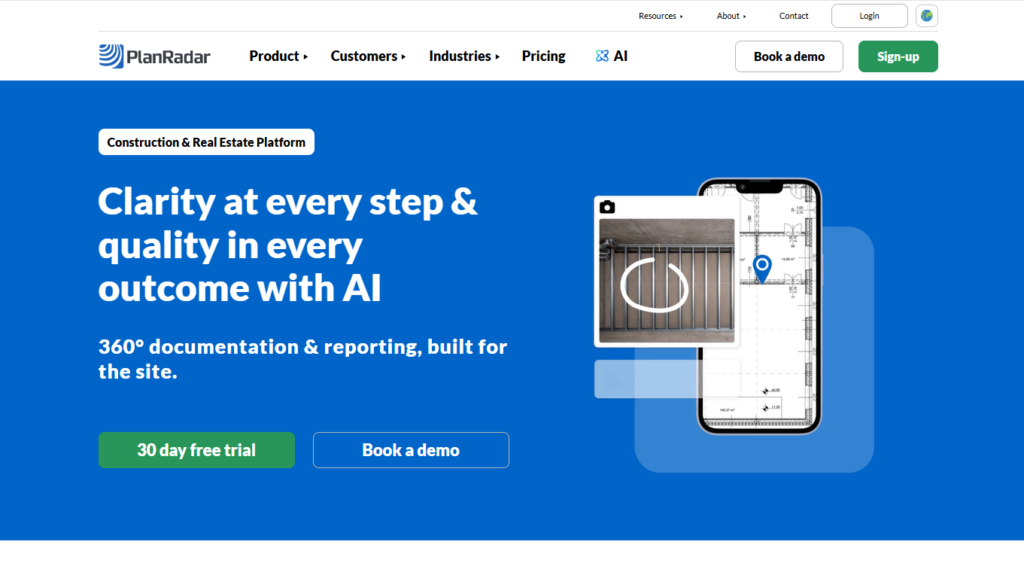
Create a project, upload drawings, and drop defect tickets directly on the plan. A 30-day free trial lets your team experiment right away, and unlimited “partner” accounts allow subcontractors to respond without paid seats. That pricing move drives near-full participation within the first fortnight.
Native 3D model support sets PlanRadar apart. Inspectors can pin issues inside a Revit model on an iPad—perfect for high-spec fit-outs. The trade-off is scope: like Fieldwire, PlanRadar stops at site documentation, with budgets and contracts handled elsewhere.
If you juggle international jobs or need bilingual interfaces, PlanRadar’s rapid deployment and multi-language UI shine. Treat it as your mobile snagging and handover tool, not a full PM suite, and adoption will be nearly instant.
Picking the right fit: speed versus firepower
Now that we have toured the eight contenders, let’s step back.
A pattern is clear. Faster adoption lives on the lighter, field-first end of the spectrum. Fieldwire and PlanRadar reach daily habits in days because they focus on site coordination and steer clear of accounting. At the opposite end, InEight and Primavera take months to configure, yet repay that time with enterprise controls no punch-list app can match.
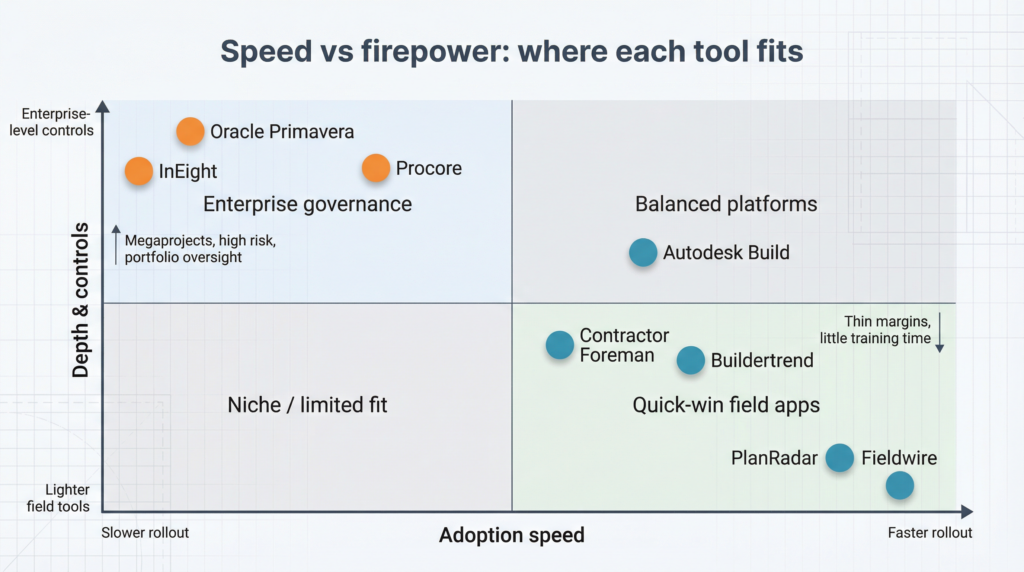
So the first question we ask clients is simple: do you need depth or do you need traction?
If your projects run on thin margins and you cannot spare a single progress meeting for training, quick-win tools shine. They give superintendents pinned tasks and offline drawings without paperwork drag, so you feel ROI this quarter.
If you manage portfolios where a one percent forecasting error equals millions, governance beats speed. An extra month of rollout is cheap insurance when integrated cost and risk dashboards prevent overruns later.
Company size matters too. A ten-person remodeler rarely has an IT lead to shepherd an ERP-level deployment. A civil contractor bidding DOT megaprojects probably has a project controls team ready for that challenge. Match ambition to bandwidth and adoption pain drops.
Three decision shortcuts help:
- Urgency. New project starting next month? Pick a cloud app that onboards in weeks and refine later.
- Existing ecosystem. Already married to QuickBooks or Revit? Choose platforms that plug straight in so data flows, not duplicates.
- Culture. Do your crews embrace change or resist it? Select software that meets them where they work, phone first for reluctant users and full dashboards for data-hungry teams.
View the shortlist through these lenses and the right platform shows itself quickly. More important, you will know exactly how long to block off for rollout, training, and the moment when everyone stops emailing spreadsheets and starts trusting one source of truth.
What’s next: trends that cut adoption time tomorrow
Software moves fast, and so do jobsites.
First, artificial intelligence is already inside PM tools. Procore’s Helix engine flags at-risk RFIs before they snowball, while Autodesk Construction IQ spots quality hotspots in photos. Automation runs quietly in the background, giving your crew helpful nudges without extra steps and speeding adoption.
Second, mobile-first is now the baseline. Every vendor on our list syncs offline, but the bar keeps rising. Voice-to-text daily logs and one-tap safety checklists should feel as natural as texting friends. When the workflow matches everyday apps, resistance drops.
Third, consolidation simplifies integration. Autodesk rolled PlanGrid and BuildingConnected into one login, and Buildertrend merged with CoConstruct. Fewer credentials mean smoother rollouts, while open APIs let you move data to accounting or BIM tools instead of re-typing.
Finally, owners want ESG and carbon metrics. Platforms that capture material usage and waste during construction set you up for future compliance without another software search.
Takeaway
Choose a construction system that updates frequently, supports an open ecosystem, and prioritizes mobile usability. These traits not only speed adoption today but also keep your team ready for whatever trends appear on next year’s bid forms.
About the author
Anaya Fatima is a digital marketing specialist with over 3 years of experience in SEO and content strategy. She helps businesses grow their online presence through effective marketing techniques.
Leave a Reply